Shopify for Wholesale Ordering Portals: How to Launch a B2B Sales Portal

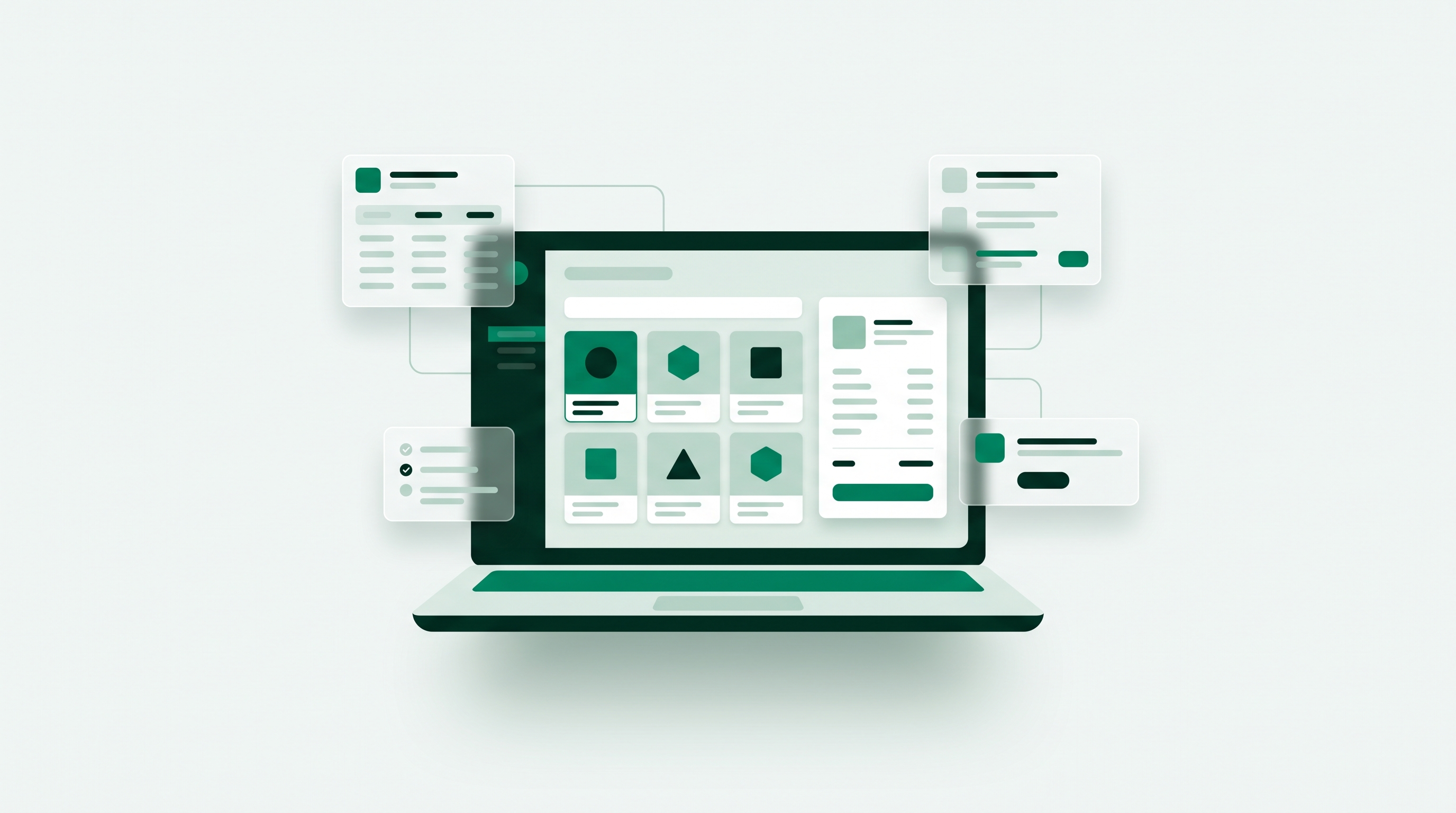
Shopify works well for wholesale ordering portals. With a wholesale app on the store you already run, you get a private, logged-in area where approved buyers see their own contracted pricing, place their own orders, and check their own account history without emailing a sales rep. Brands call it a wholesale portal, a B2B sales portal, or a wholesale ordering portal, and for the customer-facing kind they all mean the same thing. It replaces the PDF line sheet, the shared pricing spreadsheet, and the order-by-email thread with one self-service ordering surface. A working wholesale ordering portal needs five things: gated access so retail visitors never see wholesale prices, customer-specific and tiered pricing, minimum order quantities and pack sizing, a bulk order form fast enough for a 40-line order, and net terms with tax exemption at checkout. You can launch one in one to two weeks, without upgrading to Shopify Plus and without a second platform to keep in sync.
Key takeaways
- Shopify supports wholesale ordering portals through an app on your existing store, with no migration, no second catalog, and no Shopify Plus requirement.
- A wholesale portal, a wholesale ordering portal and a B2B sales portal are the same thing: the gated, buyer-facing store where approved accounts order at their own prices.
- Do not confuse it with a partner or wholesaler portal, which is about onboarding a distribution network, or with a B2B ecommerce platform, which is the system behind the portal.
- 67% of B2B buyers now prefer a rep-free buying experience, so self-service is what your accounts already expect.
- Five capabilities decide whether a portal survives real accounts: gated access, tiered pricing, MOQs and pack sizing, bulk ordering, and net terms.
- The most common failure is launching without a fast bulk-order screen, which sends buyers straight back to email.
Shopify for wholesale ordering portals is a shorter question than it looks: you do not need a second platform, and you do not need Shopify Plus. This guide covers what a wholesale portal is, the three routes Shopify gives you, what the portal has to do to survive real accounts, and the five-step build that gets one live on your existing store.
In this article
- What is a wholesale portal?
- Wholesale portal, B2B sales portal, or partner portal?
- Can you use Shopify for wholesale ordering portals?
- Why do B2B buyers want a self-service portal?
- What features does a wholesale portal need?
- What does a wholesale ordering portal look like to your buyer?
- How do you launch a B2B sales portal on Shopify?
- How do you choose wholesale portal software?
- Should you build, buy, or use an app?
- What mistakes kill wholesale portals?
- Frequently asked questions
What is a wholesale portal?
A wholesale portal is a private, logged-in area of your store where approved wholesale buyers see their own contracted pricing, place their own orders, and check their own account history without emailing a sales rep. Most brands use the phrases wholesale portal and B2B sales portal to mean the same thing, and for the customer-facing kind they are the same thing: a storefront with a gate on it. It replaces the PDF line sheet, the shared pricing spreadsheet, and the order-by-email thread with one place your buyers can use at 11pm on a Sunday.
That is the version this guide covers, because it is the one that changes your revenue. Brands searching for a wholesale portal, a wholesale ordering portal, or for Shopify for wholesale ordering portals are all describing the same thing: a store their customers log into and transact in, on their own, against prices that are already agreed.
Wholesale portal, B2B sales portal, or partner portal?
The label gets used loosely across three different products, which is why software shortlists so often contain tools that cannot do the job. Separate them before you evaluate anything.
- A customer-facing wholesale portal (also called a B2B sales portal or wholesale ordering portal). Your buyers log in and place orders themselves against their own pricing. This is a storefront with gated access, and it is what almost every Shopify brand searching for a wholesale portal actually needs.
- An internal sales enablement portal. Built for your reps, not your buyers. It holds decks, line sheets, pricing documents, and deal rooms. Useful, but nobody places an order in it.
- A supplier or partner portal. Aimed at distribution networks, with partner onboarding, training, certification, and co-marketing assets. Vendors in the partner-relationship-management category use "wholesaler portal" for this, which is a different problem from taking wholesale orders.
One more distinction decides whether you need to change platforms at all. A wholesale portal is the buyer-facing surface. A B2B ecommerce platform is the whole commercial system behind it: catalog, pricing, payments, terms, integrations, and fulfillment. On Shopify a wholesale app gives you the portal while Shopify stays the platform, which is why most brands under roughly $5M in wholesale do not need to migrate anywhere to get one.
Can you use Shopify for wholesale ordering portals?
Yes, and for most brands it is the fastest and cheapest route. Shopify for wholesale ordering portals is not one product though, it is three routes with very different costs, and picking the wrong one is why so many wholesale launches stall before the first order.
Route 1: a wholesale app on your existing store
A wholesale app adds a B2B layer to the Shopify store you already run. Approved buyers log in and immediately see the products, prices, and ordering rules attached to their account, while retail visitors see the normal storefront. There is one catalog, one inventory pool, and one order list, so a product added once is available to both audiences with no synchronization job to break. This is the route that gets a working wholesale ordering portal live in one to two weeks on a standard Shopify plan.
Route 2: Shopify's native B2B features
Shopify's built-in B2B tools cover company accounts, price lists, and payment terms, and they are genuinely capable. They require Shopify Plus. If you are already on Plus, start there and add an app only for the gaps you find, which are usually the bulk ordering screen and finer-grained catalog gating.
Route 3: a separate B2B platform beside Shopify
A dedicated platform gives you a full wholesale ordering system on its own infrastructure, plus a second catalog to keep in step with your Shopify one. That synchronization is a permanent operational cost rather than a setup step, so this route earns its keep only once your requirements have genuinely outgrown Shopify.
Whichever route you take, the buyer-facing result should look identical: a gated B2B ordering portal where online wholesale ordering happens without a rep in the loop. The rest of this guide is about making that surface good enough that your accounts actually use it.
Why do B2B buyers want a self-service portal?
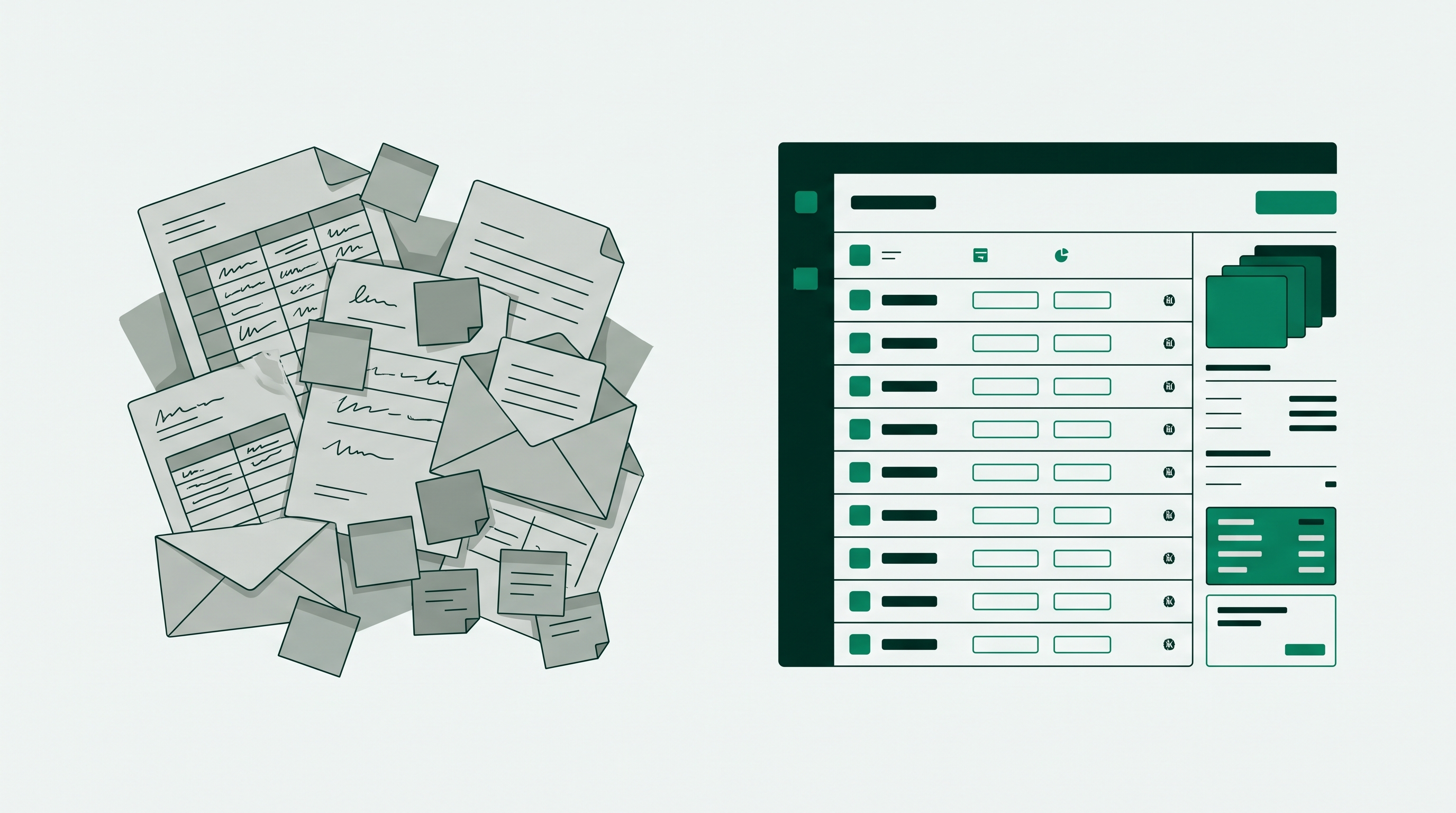
Because they would rather not talk to you, at least not to place a repeat order. Gartner's survey of 646 B2B buyers, run in August and September 2025, found that 67% now prefer a rep-free buying experience, up from 61% the year before. That is not a rejection of your sales team. It is a rejection of waiting two days for a price confirmation on a product they have bought eleven times.
The operational case is just as blunt. Every wholesale order that arrives as an email is an order somebody has to retype. Retyping is where the wrong SKU, the wrong case quantity, and the wrong tier price come from, and each of those errors costs you a credit note plus the goodwill of a buyer who now checks every invoice.
A portal moves that work to the person who already knows what they want. Your buyer picks their own SKUs against their own contracted prices. Your team stops being an order-entry function and goes back to selling.
What features does a wholesale portal need?
Most wholesale portals fail on the same five capabilities, so treat this as your requirements list rather than a wish list. If a tool cannot do these, it will not survive contact with a real wholesale account.
- Gated access. Retail visitors must not see wholesale prices. That means a registration and approval flow, hidden prices for logged-out visitors, and products that only appear to approved accounts.
- Customer-specific and tiered pricing. Not one wholesale price. A price per customer group, with volume discounts that apply automatically as quantity rises.
- MOQs and pack sizing. Minimum order quantities per product or per order, and case-pack increments so nobody orders 7 units of a 12-pack.
- Fast bulk ordering. A quantity-grid or order-form view where a buyer can fill a 40-line order in one screen instead of clicking into 40 product pages.
- Net terms and tax exemption. Net 30 at checkout for approved accounts, and resale certificates handled so exempt buyers are not charged tax.
Two more separate the portals buyers actually return to from the ones they abandon: reorder from order history, and live inventory. A buyer who can hit reorder on last month's order and see what is genuinely in stock will use your portal instead of emailing your rep. One who cannot, will not.
What does a wholesale ordering portal look like to your buyer?
Requirements lists are abstract. Here is the same portal described as the buyer experiences it, because that is the version that decides whether your accounts adopt it.
Your buyer arrives at your normal storefront and signs in. The retail prices they saw a second ago are replaced by their own contracted prices, wholesale-only products appear that the public cannot see, and retail promotions drop away. Nothing about the theme or the URL changes, which matters more than it sounds: buyers trust a store they already recognize.
They open the order form rather than browsing product pages. A quantity grid lists styles down the page and variants across it, so a 40-line order is one screen and a few keystrokes instead of 40 page loads. Case-pack increments are enforced as they type, so a 12-pack cannot be ordered in sevens, and the running total updates against their tier as each quantity break is crossed.
At checkout they choose net 30 rather than a card, their resale certificate is already on file so no tax is added, and the order lands in your Shopify admin alongside every retail order. Next month they open their order history, hit reorder, adjust three lines, and are done in ninety seconds.
Every step in that sequence is a place a weak portal loses the buyer. If any one of them sends your customer back to email, the portal has not actually replaced anything.
How do you launch a B2B sales portal on Shopify?
Five steps, and a realistic timeline of one to two weeks for a first version if your product data is already clean. Most of the elapsed time is decisions, not configuration.
1. Define your customer groups and price list
Before touching any software, write down your tiers. Most brands need three: standard wholesale, key account, and distributor. For each, record the discount off MSRP or the explicit price list, the MOQ, and the payment terms. If you cannot express your pricing as a rule, you cannot automate it, and this is where projects stall.
2. Gate the catalog
Add a wholesale registration form that captures business name, resale or tax ID, and expected volume, then set approval to manual for the first few months. Hide prices from logged-out visitors and restrict wholesale-only products so they do not appear in your retail catalog or search results. Our step-by-step guide to setting up a gated B2B portal on Shopify covers the Shopify-side mechanics in detail.
3. Apply pricing rules per group
Map each approved customer to a group, then attach the price list and volume breaks to the group rather than to individual customers. Attaching prices to individuals feels flexible on day one and becomes unmaintainable by account forty.
4. Set MOQs, pack sizes, and the ordering surface
Apply minimums at the level they actually exist: per product, per collection, or per order. Then give buyers a bulk order form or quantity grid. This single screen is usually the difference between a portal that gets adopted and one that gets one visit.
5. Turn on terms, tax exemption, and test with one real buyer
Enable net terms for the accounts that have earned them and flag tax-exempt customers so checkout does not charge them. Then, before you announce anything, have one friendly existing buyer place a real order end to end. They will find the thing you missed, and it is cheaper to hear it from them than from forty accounts at once.
How do you choose wholesale portal software?
Wholesale portal software is judged on two things: whether it covers the five capabilities above, and how much operational work it adds to the store you already run. Feature checklists are easy to pass on a demo call and hard to pass with forty live accounts, so score tools on the questions below rather than on the marketing page.
Does it run on your existing store, or beside it?
A portal that lives inside your Shopify store shares one catalog, one inventory pool, and one order list. A portal that lives on a second platform needs a synchronization job between the two, and that job will eventually fail on a busy day. If a vendor's answer to "where does my product data live" is "in both places", treat the sync as a permanent cost rather than a setup step.
Can you change pricing without a developer?
Wholesale pricing changes more often than retail pricing does, because it is negotiated per account. You need to add a customer group, attach a price list, and set tiered wholesale pricing and volume breaks yourself, in an admin screen, in minutes. Any tool that routes pricing changes through engineering will quietly slow your sales team down.
Is the ordering screen built for 40 lines, not 4?
This is the single feature that decides adoption. Ask to see a buyer add forty SKUs with per-variant quantities on one screen. If the demo shows a retail product page with a quantity box, your buyers will place one order that way and then go back to email. A proper wholesale order form or quantity grid is not a nice-to-have.
Does it handle terms and tax the way your accounts actually buy?
Net 30 at checkout for approved accounts, resale certificates recorded so exempt buyers are not charged tax, and invoices your buyer can retrieve without asking you. Digital ordering is now the norm for exactly this kind of transaction: McKinsey's 2026 B2B Pulse survey of nearly 4,000 decision-makers across 13 countries found 73% are now comfortable placing orders above $50,000 through a digital channel, up from 59% in 2022. Your buyers are not hesitant about the format. They are hesitant about a portal that cannot invoice them properly.
What does it cost when you double your accounts?
Price the tool at the account count and order volume you expect in a year, not the one you have this month. App pricing that scales on orders is predictable; platform pricing that scales on GMV usually is not, and implementation fees are rarely quoted next to the monthly number.
PortalSphere is built for the first answer to every question above: it turns your existing Shopify store into a gated wholesale ordering portal, with customer-group pricing, MOQs and pack sizing, a bulk order form, and net terms, and no second catalog to keep in step. You can see the full capability list on our wholesale portal feature page.
Should you build, buy, or use an app?
For a Shopify brand doing under roughly $5M in wholesale, an app on your existing store wins on nearly every criterion that matters: time to launch, cost, and the fact that your products, inventory, and orders stay in one system. A separate platform makes sense only when your requirements genuinely outgrow Shopify, and a custom build almost never pays back at this scale.
Read the rows that decide it. A wholesale app runs your B2B sales portal inside the store you already operate, so a product added once is available to both retail and wholesale buyers with no synchronization job to break, it works on standard Shopify plans without a Plus upgrade, and you can launch in days rather than quarters. A separate B2B platform gives you the same portal features but adds a second catalog to keep in step with your Shopify one, which is a permanent operational tax rather than a one-time setup cost. A custom build gives you exactly what you specify and nothing else, and every pricing change afterward needs engineering time, which is why it only makes sense when your pricing logic is genuinely unusual and your volume justifies a dedicated team.
If you are weighing specific tools, our breakdown of the best Shopify wholesale apps in 2026 compares the main options feature by feature.
What mistakes kill wholesale portals?
Four, in the order they usually happen.
Launching without a bulk ordering screen. A buyer placing a 40-line order through a retail product-page flow will do it once, then go back to email. Fix the ordering surface before you invite anyone.
Leaking wholesale prices. Hiding prices on the product page but leaving them visible in search results, collection pages, or your sitemap is common and it damages retail pricing and channel relationships at the same time. Test as a logged-out visitor before launch.
Pricing per customer instead of per group. It works until you have thirty accounts, then every price change becomes a manual sweep. Build groups from day one even if each group starts with one member.
Announcing it and walking away. Adoption is not automatic. Email each account with their login, a two-minute walkthrough, and a named person to ask. Brands that do this see most accounts move across in the first billing cycle. Brands that do not, keep taking orders by email indefinitely.
Frequently asked questions
Is a wholesale portal the same as a B2B sales portal?
For the customer-facing kind, yes. Both describe a gated, logged-in area where approved wholesale buyers see their own pricing and place their own orders. The phrase wholesale portal is more common among brands selling to retailers, and B2B sales portal is more common in software marketing, but they describe the same product. The term to watch is partner or wholesaler portal in the partner-relationship-management sense, which is about onboarding and enabling a distribution network rather than taking orders.
What is a wholesale ordering portal?
A wholesale ordering portal is a wholesale portal with the emphasis on the transaction: the bulk order form or quantity grid where a buyer builds a large order in one screen, applies their tier pricing automatically, respects your MOQs and case packs, and checks out on net terms. If a portal has a gated catalog but no fast ordering surface, buyers browse it once and then place the actual order by email, which is the most common reason a wholesale portal fails to get adopted.
Is a wholesale ordering portal the same as a wholesale ordering system?
In everyday use they overlap, though the emphasis differs. Wholesale ordering portal describes the buyer-facing surface, the gated login where approved accounts place orders at their own prices. Wholesale ordering system is usually the broader phrase, covering that portal plus the pricing rules, approvals, terms, and order routing behind it. On Shopify a wholesale app supplies both, because the rules engine and the buyer-facing portal ship together rather than as two purchases.
Does a Shopify wholesale ordering portal work with my existing theme and checkout?
With an app-based portal, yes. Your theme, your checkout, and your existing apps stay as they are, and the B2B behavior is layered on top for logged-in wholesale accounts. That is the practical advantage of using Shopify for wholesale ordering portals rather than standing up a separate site: there is no second storefront to design, no second checkout to test, and no second set of shipping rules to maintain.
What is the difference between a B2B sales portal and a B2B ecommerce platform?
A B2B sales portal is the buyer-facing part: the gated login where approved customers see their pricing and place orders. A B2B ecommerce platform is the whole commercial system behind it, including catalog management, payments, terms, integrations, and fulfillment. On Shopify, a wholesale app gives you the portal while Shopify remains the platform, which is why most brands under $5M in wholesale do not need to migrate anywhere.
Do I need Shopify Plus to run a B2B sales portal?
No. Shopify's native B2B features require Plus, but a wholesale app delivers gated access, customer-specific and tiered pricing, MOQs, bulk ordering, and net terms on standard Shopify plans. The practical question is not which plan you are on, it is whether the tool covers the five capabilities listed above.
How long does it take to launch a B2B sales portal?
One to two weeks with an app if your product data and pricing rules are already defined, and most of that is deciding your tiers rather than configuring anything. A separate B2B platform is typically a one to three month project, and a custom build runs three to six months before the first order.
Can wholesale and retail customers use the same Shopify store?
Yes, and for most brands they should. One catalog and one inventory pool means no synchronization to maintain and no risk of selling the same units twice. Wholesale buyers log in and see their own prices and products, while retail visitors see the normal storefront. Our guide to running Shopify B2B and B2C from one store walks through the setup.
How do I stop retail customers from seeing wholesale prices?
Combine three controls rather than relying on one. Hide prices from logged-out visitors, restrict wholesale-only products so they are not visible or indexable to the public, and put approval on your registration form so only verified businesses reach the gated catalog. Verify all three as a logged-out visitor before launch, including search results and your sitemap.
What does a B2B sales portal cost?
A wholesale app on Shopify typically runs from around $50 to a few hundred dollars per month depending on order volume and features. A dedicated B2B platform generally starts in the four-figure range monthly once implementation is included, and a custom build carries development cost up front plus ongoing maintenance. For most Shopify brands the app route reaches a working portal for less than the cost of the developer time a build would need to scope it.
Launch your wholesale ordering portal on Shopify
Gated access, tiered pricing, MOQs and net terms on the store you already run. 14-day free trial, no credit card, and a specialist sets it up on a draft store first.