How to Create a Wholesale Order Form on Shopify (Without Spreadsheets)

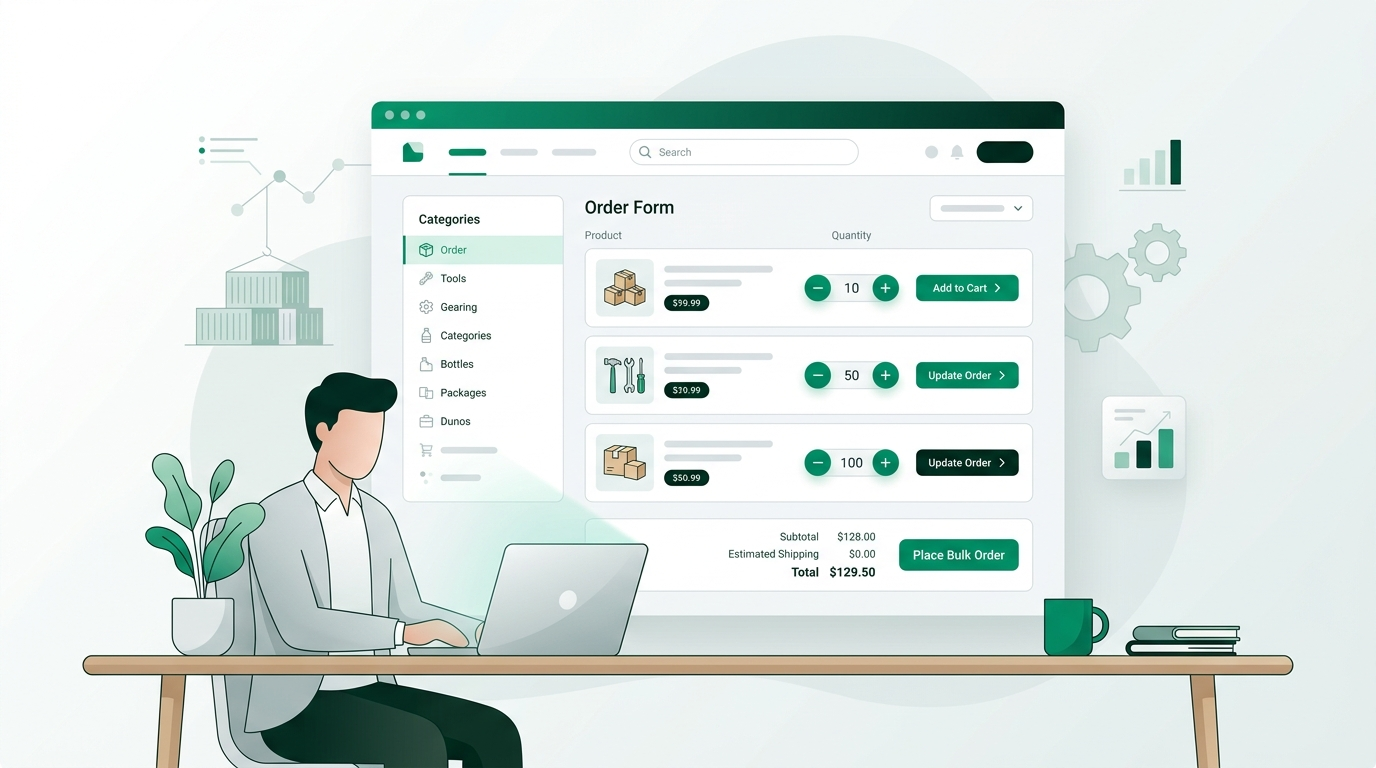
A wholesale order form is a single-page interface that lets approved B2B buyers add multiple products, set quantities, and place a bulk order in one screen, without navigating your storefront product by product. On Shopify, the fastest way to create one is a purpose-built wholesale app: you turn on a bulk order form, restrict it to logged-in wholesale customers, and layer in tiered pricing, minimum order quantities, and net terms so the form enforces your rules automatically. You can also collect new accounts with a separate wholesale registration form, then approve buyers before they see wholesale prices. Spreadsheets, email, and Google Forms work for a handful of accounts, but they break down at scale because they cannot show live inventory, enforce MOQs, or push orders into Shopify. A native order form keeps ordering fast for buyers and hands-off for you.
Key takeaways
- A wholesale order form lets approved buyers order many products and quantities from one page, instead of clicking through your storefront.
- Do not confuse it with a wholesale registration form: one places orders, the other gates access and collects new accounts.
- The scalable way to build one on Shopify is a dedicated wholesale app that enforces tiered pricing, MOQs, and pack sizing inside the form.
- Spreadsheets, email, and Google Forms fail at scale because they cannot show live inventory or write orders into Shopify.
- PortalSphere adds a gated bulk order form, net terms, and tax exemption without needing a second app.
In this article
- What is a wholesale order form?
- Do you need a wholesale order form on Shopify?
- How do you create a wholesale order form on Shopify?
- Order form vs. registration form: what is the difference?
- Which method should you use?
- What should a wholesale order form include?
- Frequently asked questions
What is a wholesale order form?
A wholesale order form is a single-page interface that lets an approved B2B buyer add multiple products, set quantities, and submit one bulk order without clicking through your storefront product by product. Think of it as a fast lane built for buyers who already know what they want and order in volume.
It is different from your normal retail product pages in three ways: it shows many products at once with quantity fields, it applies wholesale pricing instead of retail pricing, and it is usually restricted so only logged-in wholesale customers can see it. On Shopify, the form lives behind a login and connects to the same catalog and inventory as the rest of your store, so every order flows into your admin like any other.

Do you need a wholesale order form on Shopify?
If you take even a handful of wholesale orders a week, the answer is almost always yes. Most brands start by taking orders over email, a shared spreadsheet, or a PDF line sheet that buyers mark up and send back. That works for the first few accounts. It stops working the moment you are re-keying orders by hand, chasing buyers for corrected quantities, or discovering that someone ordered a discontinued item.
A proper order form fixes the root problem: it lets the buyer self-serve while your rules do the enforcing. Quantities respect your minimums, prices reflect the buyer's tier, and out-of-stock items are flagged before the order is placed. You stop being the bottleneck, and buyers get the fast, accurate ordering experience they expect. If you are still deciding how to present products to buyers first, pair the form with a clean wholesale line sheet.
How do you create a wholesale order form on Shopify?
Shopify does not ship a bulk wholesale order form out of the box on standard plans, so the reliable path is a dedicated wholesale app. Here is the process end to end.
1. Decide what the form needs to do
Separate two jobs before you build anything: collecting and approving new wholesale accounts, and letting approved buyers place orders. The first is a registration form, the second is an order form. Most brands need both, but they are different tools (more on that below).
2. Gate the form to approved wholesale customers
Wholesale pricing should never be visible to the public. Use customer accounts and tags so the order form and its prices only appear to logged-in, approved buyers. New prospects fill out a wholesale registration form, you approve them, and they gain access. If you want prices hidden from everyone else, see how to hide prices until logged in.
3. Add your products and pricing rules
Map each buyer group to its pricing. This is where tiered wholesale pricing and volume discounts come in, so the form shows a distributor a different price than a boutique, automatically, with no manual price lists.
4. Set minimum order quantities and pack sizes
Add minimum order quantities and case-pack rules so the form will not let a buyer submit an order below your threshold or in the wrong increments. The form enforces this at entry, which kills the most common source of order corrections.
5. Turn on the bulk order form layout
Enable the single-page order form so approved buyers see a scannable list of products with quantity fields and running totals. A buyer can fill a large order in one screen and check out once, instead of loading one product page at a time.
6. Enable B2B checkout: net terms and tax exemption
Wholesale buyers expect to pay on terms, not upfront by card. Turn on net-30 terms and tax exemption so the order form ends in a checkout built for B2B, not a retail cart.
7. Test as a buyer, then launch
Create a test wholesale customer, log in as that buyer, and place a full order. Confirm the right prices show, MOQs block undersized orders, inventory is accurate, and the order lands in your Shopify admin. Then invite your real accounts.
Order form vs. registration form: what is the difference?
These two get confused constantly, and search results often lump them together. A wholesale registration form is how a new retailer applies for a wholesale account: it collects business name, tax ID, and contact details so you can vet and approve them. A wholesale order form is what an already-approved buyer uses to place orders. The registration form controls who gets in; the order form is what they use once they are in. Most growing brands run both: the registration form feeds your gated catalog, and the order form drives repeat volume.
Which method should you use?
For one or two accounts, email and a spreadsheet are fine. Once you are handling regular repeat orders, a native, gated order form wins on every criterion that matters, because it enforces your rules and writes orders straight into Shopify.
PortalSphere handles tiered pricing natively, so the order form shows each buyer group its own volume pricing without a second app or a manual price list. A spreadsheet-and-email workflow can technically apply any of this, but only through manual effort on your side, and it cannot show live inventory or write orders into Shopify, so someone still re-keys every order. A Google Form is quick to stand up and can loosely gate access, but it is a data-collection tool, not an ordering system: it does not know your catalog, your prices, your stock, or your minimums, and it produces a spreadsheet you still have to process by hand. If you are ordering at any real volume, the native order form is the only option that stays accurate and hands-off as you grow.
What should a wholesale order form include?
A high-converting wholesale order form covers the essentials buyers need to order confidently in one pass: a scannable product list with images, SKUs, and quantity fields; wholesale prices that reflect the buyer's tier; visible minimum order quantities and pack sizes; live stock status; a running order total; and a B2B checkout with net terms and tax exemption. Keep it fast and predictable, and let your rules do the enforcing so buyers never get a surprise at checkout.

Frequently asked questions
What is a wholesale order form?
A wholesale order form is a single-page interface where an approved B2B buyer adds multiple products, sets quantities, and submits one bulk order. It shows wholesale pricing, is restricted to logged-in wholesale customers, and connects to your Shopify catalog and inventory so orders flow into your admin automatically.
How do I create a wholesale order form on Shopify?
Install a dedicated wholesale app, gate the form to approved customer accounts, add your products with tiered pricing, set minimum order quantities and pack sizes, enable the single-page bulk order layout, turn on net terms and tax exemption at checkout, then test as a buyer before inviting your accounts.
What is the difference between a wholesale order form and a wholesale registration form?
A registration form is how a new retailer applies for a wholesale account, collecting business name, tax ID, and contact details so you can approve them. An order form is what an approved buyer uses to place orders. One controls access, the other places orders. Most brands use both.
Can I create a wholesale order form without an app?
You can approximate one with a Google Form or a shared spreadsheet, and that is fine for one or two accounts. It will not show live inventory, enforce minimums, apply tiered pricing, or write orders into Shopify, so you re-key every order by hand. For regular repeat volume, a native order form is far more reliable.
Does PortalSphere support MOQs and pack sizing?
Yes. PortalSphere enforces minimum order quantities and case-pack increments directly in the order form, so a buyer cannot submit an order below your threshold or in the wrong pack size. It also handles tiered pricing, gated access, net terms, and tax exemption from one app.
Give your wholesale buyers a faster way to order
Start a 14-day free trial of PortalSphere and add a gated order form, tiered pricing, MOQs, and net terms to your Shopify store. No credit card required.