Shopify B2B and B2C: How to Sell Wholesale and Retail From One Store


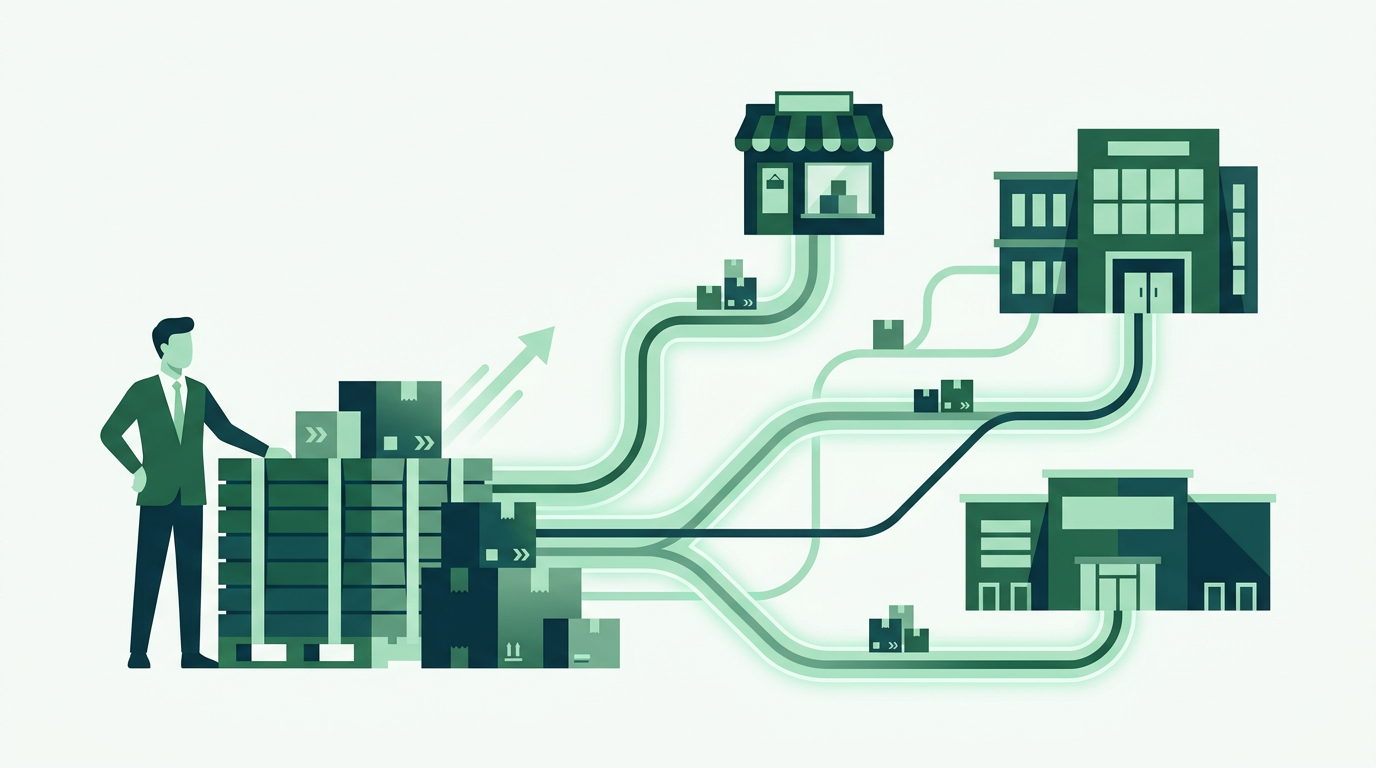
Yes, you can run both B2B and B2C on a single Shopify store. The key is to segment buyers with customer tags or company accounts, then show each group the right prices and catalog: public retail pricing for consumers, and gated wholesale pricing, volume discounts, and minimum order quantities for approved B2B customers. Shopify's native B2B (on the Plus plan) handles company accounts and catalogs, while apps like PortalSphere add tiered pricing, hidden prices, registration gating, and net terms on any Shopify plan. You keep one product catalog, one inventory, and one checkout, so retail shoppers see normal prices and wholesale buyers log in to see their negotiated rates. This avoids running a second store or exporting orders to spreadsheets.
Key takeaways
- You do not need two stores: one Shopify store can serve retail shoppers and wholesale buyers at the same time.
- Segment buyers with customer tags or company accounts, then gate wholesale pricing and catalogs behind login.
- Native Shopify B2B requires the Plus plan; apps like PortalSphere add tiered pricing, hidden prices, and net terms on any plan.
- Keep one catalog, one inventory, and one checkout to avoid overselling and manual order entry.
- Approve wholesale accounts with a registration form so only vetted buyers see B2B prices.
In this article
- Can you sell both B2B and B2C on one Shopify store?
- Native Shopify B2B vs a wholesale app: which do you need?
- How to set up B2B and B2C in one Shopify store
- How do you show different prices to wholesale and retail buyers?
- Do you need Shopify Plus to sell B2B and B2C together?
- Frequently asked questions
Can you sell both B2B and B2C on one Shopify store?
Yes. A single Shopify store can serve walk-up retail shoppers and approved wholesale buyers at the same time, using the same product catalog, inventory, and checkout. You do not need a second store, a separate password-protected site, or a spreadsheet to track wholesale orders.
The trick is segmentation. You separate buyers into groups (retail and B2B), then control what each group sees: public retail pricing for consumers, and gated wholesale pricing, volume discounts, and minimum order quantities for logged-in B2B customers. Retail shoppers browse and buy exactly as before. Wholesale buyers log in and see their negotiated rates.
Most merchants start on the retail side and bolt on wholesale later. If you are in that position, our guide on how to set up wholesale on Shopify covers the groundwork, and this article focuses on running both channels together without them colliding.

Native Shopify B2B vs a wholesale app: which do you need?
Shopify has native B2B features, but they are only available on the Shopify Plus plan. They center on company accounts, buyer-specific catalogs, and payment terms. If you are not on Plus, or you want more control over hidden prices and registration gating, a dedicated wholesale app adds those capabilities on any Shopify plan.
Here is how the three common approaches compare on the criteria that actually matter when you run both channels from one store.
The separate-store route is the one to avoid. It splits your inventory, doubles your admin, and forces you to reconcile orders by hand, which is exactly the manual, error-prone setup a unified store is meant to replace. For a wider look at the tools in this space, see our roundup of the best Shopify wholesale apps in 2026.
How to set up B2B and B2C in one Shopify store
Here is the practical sequence. It works whether you use native B2B on Plus or an app like PortalSphere on a lower plan.
1. Tag or group your wholesale buyers. Create a customer tag such as "wholesale" (or a company account in native B2B). Every pricing and access rule keys off this tag, so retail shoppers, who carry no tag, are never affected.
2. Add a wholesale registration and approval flow. Publish a short application form so prospective B2B buyers can request access. Approve legitimate businesses, apply the wholesale tag, and reject the rest. This keeps consumer prices public while wholesale rates stay private.
3. Build your wholesale price list. Set customer-specific or tiered pricing for the wholesale group. You can offer a flat percentage off, tiered rates by customer level, or volume discounts that unlock at higher quantities. Our walkthrough on tiered wholesale pricing on Shopify covers the pricing logic in depth.
4. Gate the catalog and prices. Decide what wholesale-only buyers should see: hidden prices until login, restricted products, or a fully gated B2B catalog. Retail products stay fully public. See how to set up a gated B2B portal for the access-control details.
5. Set minimum order quantities and pack sizes. Wholesale orders usually carry MOQs or case-pack rules. Apply these to the wholesale group only, so a retail shopper can still buy a single unit.
6. Enable net terms and tax exemption where needed. Give approved accounts net payment terms and mark tax-exempt buyers so their invoices calculate correctly at checkout.

How do you show different prices to wholesale and retail buyers?
Different prices come from the customer group, not from duplicate products. When a tagged wholesale buyer logs in, the store swaps the public retail price for their assigned wholesale or tiered price. A logged-out visitor, or a customer without the wholesale tag, always sees the standard retail price.
Because the pricing rule is attached to the buyer rather than the product, you keep one product per SKU. That protects your inventory counts (no risk of overselling across two listings) and keeps your catalog clean. It also means a customer who is both a consumer and a business only needs one account, with the right prices appearing based on how they are tagged.
Do you need Shopify Plus to sell B2B and B2C together?
No. Shopify Plus is required only for Shopify's native B2B features, such as company accounts and native B2B catalogs. Plus starts around $2,300 per month, which is hard to justify if wholesale is a new or secondary channel.
On Basic, Shopify, or Advanced plans, a wholesale app delivers the same core outcome: gated pricing, hidden prices, registration and approval, MOQs, and net terms, all layered onto your existing retail store. That lets you validate the wholesale channel first and only move to Plus if and when the volume justifies it. PortalSphere runs on any plan and includes free onboarding, where a specialist sets everything up on a draft version of your store before it goes live.
Frequently asked questions
Can you sell wholesale and retail on the same Shopify store?
Yes. You tag or group wholesale buyers, then apply gated wholesale pricing, MOQs, and net terms to that group only. Retail shoppers keep seeing public prices, and you run everything from one catalog and one checkout.
How do I add a wholesale area to my existing Shopify store?
Add a wholesale registration form, approve legitimate businesses and tag them, then set a wholesale price list and gate the prices or catalog behind login. Native B2B does this on Plus; an app like PortalSphere does it on any plan.
Will retail customers see my wholesale prices?
No, as long as prices are gated. Wholesale rates only appear for tagged, logged-in B2B accounts. Logged-out visitors and untagged customers see standard retail pricing, and you can hide wholesale products or prices entirely until a buyer is approved.
Do B2B and B2C orders share the same inventory?
Yes. Keeping one product per SKU means both channels draw from the same stock, so you avoid overselling and do not have to reconcile counts across two stores or listings.
How do I approve wholesale customers?
Use a registration form to collect applications, review each business, and apply your wholesale tag to approved accounts. Only tagged accounts unlock B2B pricing and access, so vetting stays in your control.
Sell wholesale and retail from one Shopify store
PortalSphere adds gated B2B pricing, MOQs, and net terms to your existing store, no Plus upgrade needed.