How to Offer Net 30 Terms to Wholesale Customers on Shopify


Net 30 gives an approved wholesale buyer 30 days from the invoice date to pay in full, effectively interest-free credit that helps them order more. On Shopify you can offer it two ways. If you use Shopify B2B on the Plus plan, set payment terms per company under Customers > Companies and choose Net 30. If you are on a standard plan, use a wholesale app like PortalSphere to approve buyers, gate pricing, and route them to invoice or draft-order checkout so they order now and pay later. Either way, tie eligibility to a credit application, start with conservative limits, and put your terms in writing before you extend credit.
Key takeaways
- Net 30 means payment is due 30 days from the invoice date, not from delivery.
- Shopify offers native B2B payment terms only on the Plus plan; standard plans need a wholesale app.
- Always vet buyers with a credit application and start with small credit limits.
- Net terms tie up cash, so track receivables and consider net-terms financing to get paid upfront.
- PortalSphere lets you approve accounts, gate pricing, and offer pay-later checkout without Shopify Plus.
In this article
- What is Net 30 and how does it work in wholesale?
- Can you offer Net 30 on Shopify without Shopify Plus?
- How to set up Net 30 terms on Shopify
- Net 30 vs Net 60 vs 2/10 Net 30
- How to protect yourself when offering net terms
- FAQ
What is Net 30 and how does it work in wholesale?
Net 30 is a business payment term that gives an approved buyer 30 days from the invoice date to pay in full. The countdown starts on the invoice date, not the delivery date, so an invoice dated September 1 with Net 30 terms is due by October 1.
For wholesale, net terms act as interest-free vendor financing. A stockist can receive your products, put them on their shelves, and start selling before the bill comes due. That flexibility is why Net 30 is one of the most widely used terms in B2B, and why buyers often expect it once an order crosses a few thousand dollars.
The trade-off sits with you, the seller. If you carry 50,000 dollars in open Net 30 orders, that is 50,000 dollars tied up in receivables instead of cash you can spend on inventory, payroll, or rent. Offering terms can win larger, repeat orders, but only if you manage the credit carefully.
Can you offer Net 30 on Shopify without Shopify Plus?
Yes. There are two paths, and the right one depends on your plan.
Shopify B2B (Plus). Shopify's native B2B features include payment terms, but they are only available on the Shopify Plus plan. You set terms per company location, and approved buyers see those terms when they check out.
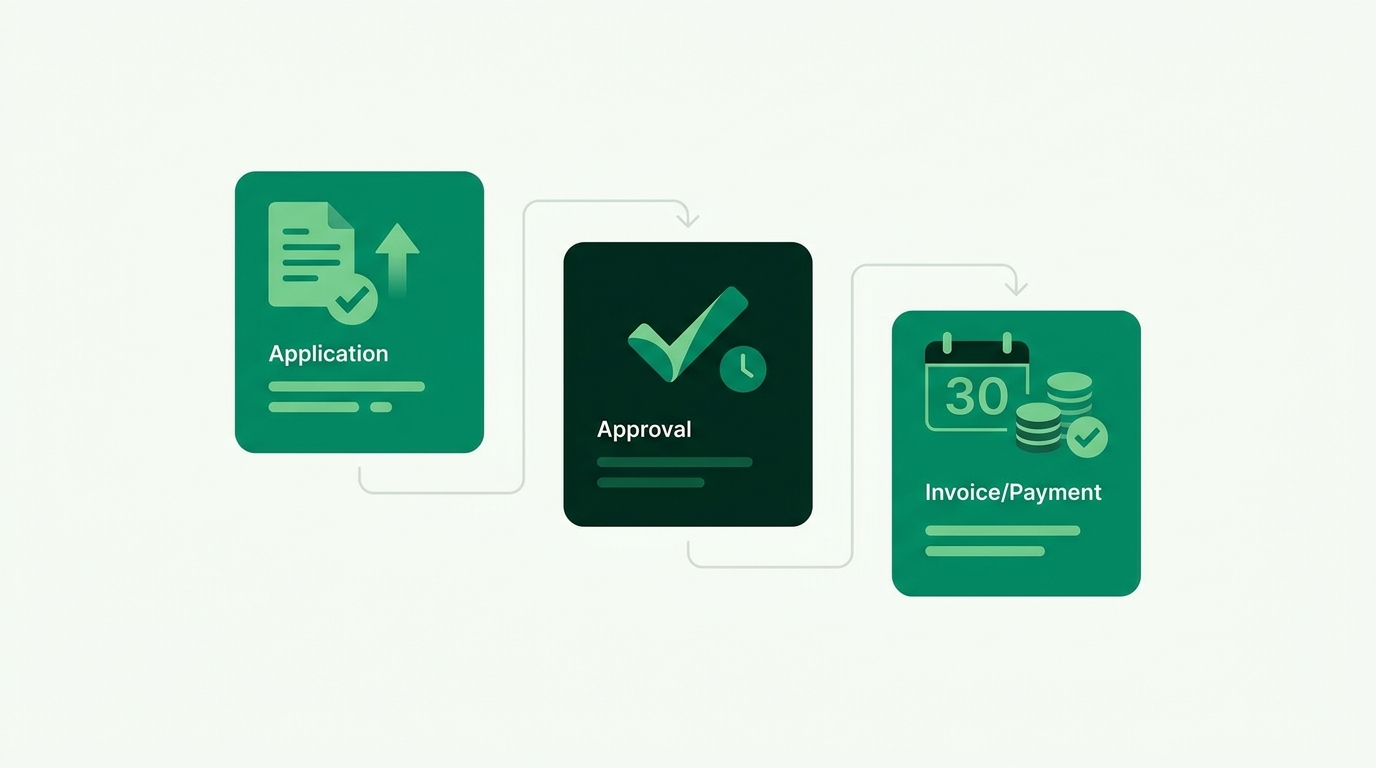
Standard Shopify plans. If you are not on Plus, you offer Net 30 by combining customer tagging, gated pricing, and a wholesale app. A tool like PortalSphere lets you approve B2B accounts, hide retail checkout for those buyers, and route them to an invoice request or draft order so they can order now and pay later, with no custom code or Plus upgrade. If you are still weighing the options, our guide to setting up wholesale on Shopify without upgrading to Plus covers the full picture.
How to set up Net 30 terms on Shopify (step by step)
The workflow is the same whether you use native B2B or an app. Only the tooling in step 4 changes.
1. Decide who qualifies
Do not offer terms to everyone. Limit Net 30 to vetted wholesale accounts, for example buyers with a resale certificate, a minimum order history, or a signed agreement. Everyone else pays upfront.
2. Collect a credit application
Ask new accounts to complete a short credit application: business name, tax ID, trade references, and requested limit. This is your paper trail if an invoice goes unpaid. You can gate this behind a registration form so only approved buyers ever see wholesale pricing. See our walkthrough on building a gated B2B portal on Shopify.
3. Set a credit limit
Start conservative. A common approach is to cap a new account at one typical order value, then raise the limit after two or three on-time payments. This keeps your exposure small while a buyer builds a track record.
4. Turn on payment terms
On Shopify Plus, go to Customers > Companies, open the company, and under Payment terms select Net 30, following Shopify's B2B setup steps. On a standard plan, tag the approved customer (for example net30), then use your wholesale app to block instant checkout for that tag and generate an invoice or draft order instead.
5. Invoice and track
Send an invoice that lists the invoice date, the Net 30 due date, line items, and payment instructions. Log every invoice so you can chase overdue accounts on day 31, not day 60.
Net 30 vs Net 60 vs 2/10 Net 30: which should you offer?
Net 30 is the default, but you have options. Longer terms are more generous to buyers and harder on your cash flow, while early-payment discounts pull cash in faster.
How to protect yourself when offering net terms
Extending credit is a real financial risk. Reduce it with a few habits:
- Get it in writing. A signed agreement stating your terms and late penalties is enforceable if a buyer does not pay.
- Check references. Call two trade references before approving a new account.
- Grow limits slowly. Reward on-time payers with higher limits and keep risky accounts on prepayment.
- Consider net-terms financing. Third-party providers can pay you upfront and collect from the buyer, so you offer terms without tying up your own cash.
Once your approval and pricing are dialed in, layer in tiered wholesale pricing so your best accounts get the right price and the right terms together.
Frequently asked questions
What does Net 30 mean for wholesale?
It means an approved wholesale buyer has 30 days from the invoice date to pay in full, with no interest. It is short-term credit you extend so buyers can receive stock and sell it before paying.
Can I offer Net 30 on Shopify without Shopify Plus?
Yes. Native B2B payment terms require Shopify Plus, but on a standard plan you can approve buyers, gate pricing, and use a wholesale app like PortalSphere to route them to invoice or draft-order checkout so they can pay later.
Should I offer net terms to wholesale customers?
Offer them selectively. Terms help you win larger, repeat orders, but they tie up cash and carry non-payment risk. Limit Net 30 to vetted accounts with a credit application and start with small limits.
What is 2/10 Net 30?
It is Net 30 with an early-payment discount: the buyer takes 2 percent off if they pay within 10 days, otherwise the full amount is due in 30 days. It rewards fast payment and improves your cash flow.
How do I set a wholesale customer credit limit?
Start with roughly one typical order value for a new account, then raise it after two or three on-time payments. Check trade references first and keep higher-risk buyers on prepayment.
Offer Net 30 without the Shopify Plus price tag
PortalSphere lets you approve B2B buyers, gate wholesale pricing, and turn on pay-later checkout on any Shopify plan. Free 14-day trial, no credit card, with hands-on onboarding.